
What is a multiple choice question?
The definition, the formats that exist, and 17 real questions with their full answer lists, read out of a published library of 109 survey templates.
A multiple choice question gives the respondent a fixed list of answers and asks them to pick from it. Two parts: the stem, which is the question, and the options, which are the answers on offer. Short form: MCQ. In an exam, one option is correct and the rest are distractors written to be wrong. In a survey none of them is wrong: every option is a real answer somebody might give, and the job of the question is to cover the answers people actually have. This page is about the survey kind.
One complete example
How did you first hear about us?
The stem is the question line. The 7 options are the answers on offer; the respondent picks one, and the last option is there for the person the list does not fit. Published in our customer profile survey template.
What a multiple choice question is made of
Two parts, and both have names. The stem is the sentence that asks. The options are the answers laid out underneath it. In "Where do you go first when something is not working?" the stem is that sentence and the options are six places an employee might go, from the IT help desk to working around the problem and carrying on. That is the whole anatomy.
What follows from it is a fixed set of buckets, decided before anybody answers. That is the trade the format makes: you lose whatever a respondent would have said in their own words, and in exchange you get an answer you can count. Most of a survey is made of that trade. In our own published template library, 1,201 of 1,422 questions (84.5 per cent) put a fixed list in front of the respondent, and 557 of them are multiple choice in the strict sense: 516 that take one answer and 41 that take several.1
The short form of multiple choice questions is MCQ
MCQ singular, MCQs plural. The abbreviation comes out of education and medical assessment, which is where nearly all the published research on the format lives; survey vendors tend to write the words out in full. There is no difference in meaning. Both mean a stem with a fixed list of options under it.
Multiple choice in an exam is a different question type
An exam MCQ has a key, the correct option, and distractors, the plausible wrong ones. Everything difficult about writing one is the distractors: they have to be wrong, and they have to be tempting enough that guessing does not work.
A survey has neither. Nobody is being marked, so the option list is not a ring of traps around a right answer. It is a set of categories that between them have to cover what people will actually say. That single difference decides how many options you want, and it is the reason the exam research and our own library land on different numbers, which is the argument in the option-count section below.
Types of multiple choice questions, and when to use each
Six controls do all the work. They differ in what the respondent physically does, which is also what each one costs you in data quality. Two of them account for nearly everything: a circle you can only fill once, and a box you can tick as often as it is true.
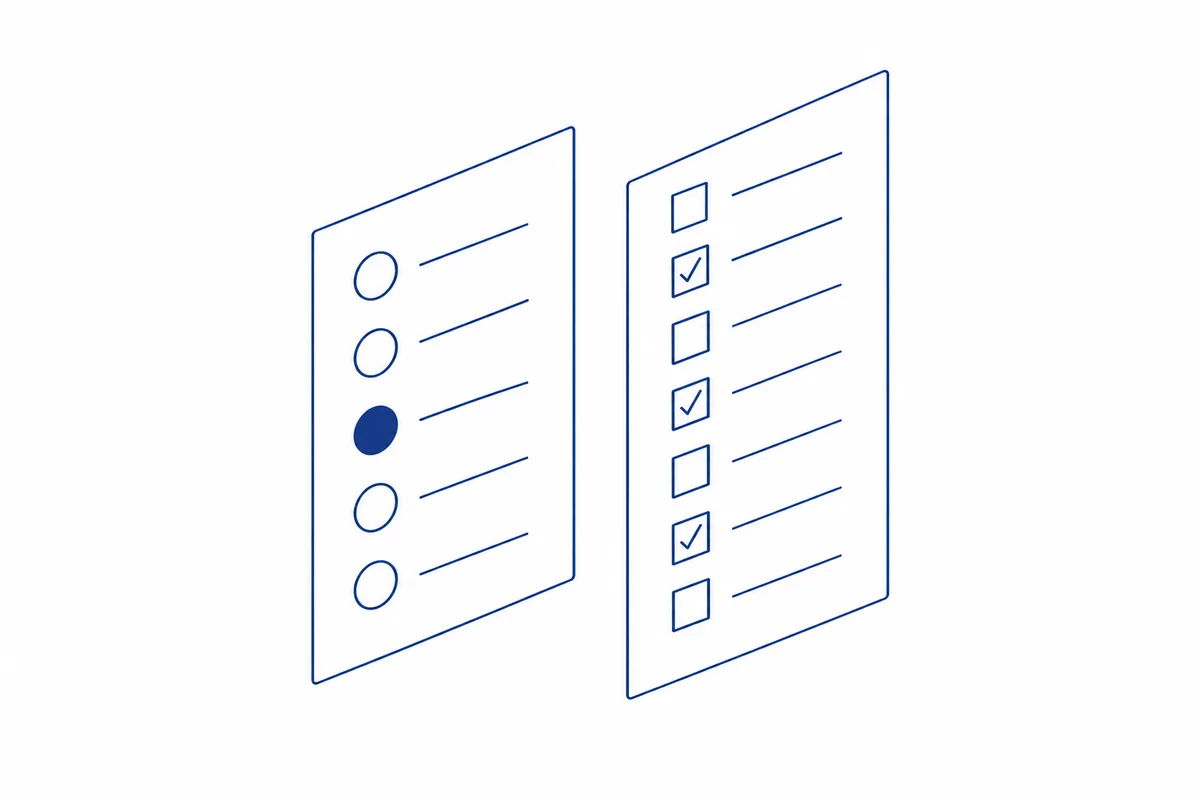
Radio buttons take one answer. Checkboxes take as many as apply.
| Format | The respondent | What it costs you |
|---|---|---|
| Single-selectRadio buttons | Picks exactly one option. | A forced single pick hides answers that are genuinely multi-causal. |
| Multi-selectCheckboxes, also called multiple response | Ticks every option that applies. | Percentages stop adding to 100, and a blank answer is ambiguous. |
| DropdownSelect list | Opens a list, then picks one. | Options are invisible until opened, so the first few get picked more. |
| MatrixGrid of items sharing one option set | Answers several items in one block. | Straightlining: people run down a single column without reading. |
| RankingOrder the options | Puts the options in order of preference. | The highest effort of any format, and drop-off climbs with list length. |
| Worded scaleAgreement, satisfaction, frequency | Picks one point on an ordered line. | The options carry meaning in their order, so they can never be shuffled. |
Two of those rows have guides of their own, because the wording is harder than the format: Likert scale questions for agreement batteries, and 1-to-5 rating scales for anything running along a numbered line.
One rule cuts across all six. The U.S. Census Bureau puts universal presentation first in its guidelines for questionnaires that run in more than one mode: every respondent should meet the same question and the same response categories, whatever channel they answer in.4 A dropdown on the web that becomes a list read aloud down a phone line has already broken that, and the two sets of answers are not comparable.
Multiple response questions are the check-all format
"Multiple response" and "multi-select" name the same control: checkboxes, tick every one that applies. The label matters because it changes the arithmetic downstream. One respondent can be counted in six rows at once, so the column will not add to 100 per cent and nothing has gone wrong.
It is also rarer than most guides imply. We use it 41 times across 1,422 published questions, 2.9 per cent, in 29 of 109 templates. When we do use it the list runs longer: a median of 7 options against 5 for a single-select question, because nobody is being forced into one pick and the list has to carry every case.1
Multiple choice question examples you can copy
17 questions with their full option lists, every one lifted from a template that is published and in use, such as the employee exit survey and the customer profile survey. Nothing here is a sketch. The options below are the options that ship, with one exception: the recency question has its time bands reworded so that each boundary belongs to exactly one option, and the note under it says so. Each block copies as plain text, question then options, ready to paste.
Examples of single-select multiple choice questions
One answer each. Note how often the last option is an honest way out for somebody the list does not fit.
How did you first hear about us?
A search engineA recommendationSocial mediaAn advertA review or comparison siteAn event or a shopI cannot rememberCustomer profile survey, 7 options
When did you last buy from us?
Less than 1 month ago1 month to less than 3 months ago3 months to less than 12 months ago12 months ago or longerI have not bought anything yetCustomer profile survey, 5 options; bands reworded on this page so each boundary belongs to exactly one option
Which part of your experience with us are you telling us about?
Buying or orderingThe product or service itselfDelivery, setup or installationGetting help from supportBilling or paymentSomething elseCustomer feedback survey, 6 options
Which of these had the biggest part in your decision to leave?
Pay or benefitsThe work itselfCareer or development optionsMy managerDay to day working conditionsThe organization as a wholeThe people I worked withSomething outside workEmployee exit survey, 8 options
Which of these is most affecting your work right now?
WorkloadUnclear priorities or directionSupport from my managerTools, access or informationHow the team is working togetherNothing in particularEmployee pulse survey, 6 options
Where do you go first when something is not working?
The IT help deskA colleague on my teamSomeone I know who is good with computersI search for the answer myselfMy managerI work around it and carry onIT help desk survey, 6 options
Which one stage delays your work the most?
Request or intakeReview or approvalDoing the workChecking or fixingHanding it on or closingProcess improvement survey, 5 options
Is there anything that would have kept you?
A lower price or a smaller planThe thing that was missingFixing the problem I ran intoBetter help when I asked for itThe option to pause instead of cancelNothing would have kept meCancellation survey, 6 options
Examples of multiple response questions (check all that apply)
Tick every one that applies. Every question here ends with a way to say that nothing applied.
Which of these happened with this order?
Nothing went wrongIt arrived lateSomething was missingThe food was the wrong temperatureSpilled or damaged in transitA substitution I did not agree toI could not reach anybody about itFood delivery survey, 7 options
Which of these have you needed IT for in the last three months?
A laptop, phone or other hardwareAn account, a password or accessSoftware that stopped workingThe network, wifi or a connectionSetting up or joining a meetingAdvice on how to do somethingI have not needed IT for anythingIT help desk survey, 7 options
What usually stops you finishing training that is offered? Choose all that apply.
No time in the working dayIt is not relevant to my jobI am not told it existsMy work is not covered while I am awayIt is scheduled badly for my hoursI finish it and never use itNothing stops meTraining needs survey, 7 options
Which of these did you use in the last 12 months?
Events, meetings or conferencesTraining or professional developmentThe magazine, newsletter or journalThe website or members-only areaDiscounts or member offersAdvice, a helpline or peer supportA local group, branch or chapterRepresentation on behalf of membersNone of theseMembership survey, 9 options
Which of these got in your way during this incident?
Nothing got in my wayNot knowing who was in chargeA late or missing alertContradictory instructionsNo access to a system or a buildingWaiting on a decisionToo few people on shiftSomething the plan did not coverCrisis management survey, 8 options
Forced choice questions: examples with no opt-out
No neutral option, no not-applicable, no way to decline. Use it when the point of the question is the trade-off itself.
If only one of these could be paid for this quarter, which would you pick?
The tools and software we useThe technical craft of the jobWriting and speaking clearlyHandling difficult conversationsPlanning and prioritizing my own workLeading or coaching other peopleRules and compliance for our workReading and using dataTraining needs survey, 8 options
If we had to cut one of these next year, which one would you cut first?
Health insurance (medical, dental, vision)Retirement or 401(k) contributionsPaid time off above the minimumFlexible hours and remote workPaid parental or family leaveDependent care (childcare or elder care)Learning budgetWellness (gym, counseling, mental health)Flexible benefits survey, 8 options
Which of these would you rather have more of in the session?
A demonstration to watchGuided practiceTime to ask questionsDiscussion with the groupTraining pre-survey, 4 options
How much did the price weigh on your decision?
It was the deciding factorOne of several things I weighedA minor considerationIt did not come into itPrice evaluation survey, 4 options
Forced choice means what it says: the list has no midpoint, no "not applicable" and no way to decline. That is a deliberate design, not an oversight: if you are asking which benefit gets cut, an opt-out answers nothing. It is also commoner than it sounds: 60.1 per cent of the single-select questions in our library offer no escape option at all: no "Other", no "None of these", no way out.1
How many options do multiple choice questions need?
Use enough mutually exclusive options to cover the plausible answers; five is the mode in our own library. The count follows from the list of real answers, not the other way round: write the answers people will give, check that no two overlap, and the number you end up with is the number you need.
Five options, more often than every other count put together
Questions offering each number of options. Nothing in the library uses nine.
275 of 516 single-select questions offer five options, more than the other 241 put together. Widen it to four, five or six and you have 440 of the 516. 8 questions manage with two, 2 stretch to ten, and not a single one uses nine.1
The best-known research says three. Vyas and Supe reviewed the literature on how many options an exam MCQ should carry and concluded that three should be preferred: fewer distractors to write, less for the candidate to read, less time per item, and therefore more items in the same hour, which samples more of the syllabus.3 That finding is sound and we are not arguing with it.
It does not transfer, because the fourth and fifth options in a survey are not distractors. They are categories. Delete "A review or comparison site" from a channel question and the people who found you there have to pick something untrue or abandon the survey. The exam question is how few wrong answers you can get away with. The survey question is how few real answers you can leave out. Those have different answers, and in our library the answer most often comes out at five.
41 questions in the library do use three options, and 26 of those are a yes and a no with a third option that is an honest out: "I am not sure", "Prefer not to say", "I used to be". Three options on the screen, but really a binary with an escape. If your three options are three genuine alternatives, check that a fourth is not missing.
How to write the answer options
Two faults account for most unusable multiple choice data, and both are in the option list rather than the question. Options that overlap, so the same person belongs in two of them. And options that run out, so somebody has to pick one that is false.
Overlapping bands are the most common fault
Age, income and time bands do the most damage when they share a boundary. The rule for any band is that its lower edge is included and its upper edge is not, and the wording has to say so: "25 to 34" and "35 to 44" work for whole-number ages, but "1 to 3 months" and "3 to 12 months" both claim the third month, so a respondent sitting on it has two valid answers. Age and income also carry the extra rules that come with sensitive fields, so choose demographic question options from a list built for them.
| Weak version | Better version | Why |
|---|---|---|
| What is your age? 18-2525-3535-4545-5555-65 |
Which age band are you in? Under 2525 to 3435 to 4445 to 5455 to 6465 or olderRather not say |
A 25-year-old fits two bands and a 66-year-old fits none. Whichever they pick, you cannot add the bands up. |
| How often do you buy from us? RarelySometimesOftenVery oftenOn a subscription or contract |
How often do you buy from us? This was my only order so farLess than once a monthOne to three times a monthOnce a week or more often Are you on a subscription or contract with us?YesNoI am not sure |
Rarely and often are set by the respondent: two people with identical behaviour answer differently, and neither is lying. And a subscription is not a frequency. Somebody on a monthly contract belongs in two options at once, so subscription status gets its own question. |
| When did you last buy from us? Within the last month1 to 3 months ago3 to 12 months agoMore than a year ago |
When did you last buy from us? Less than 1 month ago1 month to less than 3 months ago3 months to less than 12 months ago12 months ago or longerI have not bought anything yet |
One month and three months each sit in two bands on the left. On the right every band includes its lower edge and excludes its upper edge, so a respondent on any boundary has exactly one answer. |
| Which device do you use this app on? iPhoneAndroid phone |
Which device do you use this app on? iPhoneiPadAndroid phoneAndroid tabletSomething else |
A tablet user has nowhere to go. Every list needs a final option that is true for the people you did not think of. |
The age and device rows are published questions from the SuperSurvey template library (customer profile, app feedback). The frequency and recency rows are corrected on this page; the published customer profile versions still carry the shared boundaries and the subscription option. Weak versions are written for the comparison.
Add an Other or a None of these when the list can run out
Checkbox questions nearly always carry one. 36 of the 41 multi-select questions in the library offer "None of these" or an equivalent, and in 30 of them it sits last. Single-select questions mostly do not: 32.4 per cent offer a no-answer option and only 8.7 per cent offer an explicit "Other".1
A checkbox question nearly always lets you say none
Bases: 41 multi-select and 516 single-select questions. A none option is None of these, Prefer not to say, I do not know or an equivalent.
That asymmetry is not carelessness. With radio buttons, a blank answer reads as a skip. With checkboxes a blank reads as either "none of these applied" or "I skipped this", and nothing in the stored data separates the two. So the checkbox version has to carry the option and the radio version can let a skip stand.
Leaving the escape off does not make the answer go away. It pushes people into the nearest option that is not quite true, which is measurement error you will never see in the results.
Make "None of these" exclusive in a checkbox question
A "None of these" that can be ticked alongside a real option produces a row of nonsense: the respondent has said both that nothing applied and that something did. The option has to be exclusive, and that is a setting, not a wording. Set it up like this:
Mark the option as exclusive in the editor
Most survey tools have a per-option setting called exclusive, none-of-the-above or single-answer. Turn it on for "None of these", "Nothing went wrong", "I have not needed IT for anything" and any other option that means the rest of the list is empty. Ticking it then clears every other box, and ticking any other box clears it.
If the tool has no such setting, add a validation rule
Reject the answer when the exclusive option is ticked together with anything else, with a message that names the conflict: "You have ticked None of these and another option. Please choose one or the other." A rule that silently drops one of the two is worse than no rule, because you cannot tell which one the respondent meant.
Pin it to the bottom and keep it out of any shuffle
The exclusive option is read last, after the real answers. If you randomise the list, exclude it from the randomisation so it stays at the foot.
Test it before you send
Preview the survey, tick two real options, then tick "None of these" and check the two are cleared. Tick a real option again and check "None of these" is cleared. If either fails, the exported data will contain rows that tick both, and nothing downstream can repair them.
The stem decides what the options mean
Options only work if the stem pins down what is being asked about, and when. "Thinking about your most recent order" and "in the last 30 days" are doing real work: they stop two respondents answering about two different things. Pew Research Center makes the same point about hidden assumptions. A question that quietly assumes the respondent has an opinion, or a car, or a manager, still collects an answer, and that answer means nothing.5
The stem can also tilt the answer. "How much did our excellent support help?" tells the respondent which option you are hoping for before they reach the list, and a list that puts the flattering options first does the same thing more quietly. Read every stem for a verdict it has smuggled in and remove leading wording before the options get their turn.
How to analyse multiple choice questions and report the results
Single-select is the easy one. Count the picks per option, divide by the people who answered the question, and the column adds to 100 per cent. That is the whole method. It is the cleanest quantitative data you will collect, because the buckets were fixed before anybody saw the question.
Multi-select is where reports go wrong. Each option is its own yes-or-no question, so each is a percentage of respondents rather than a slice of a pie. Suppose 60 per cent tick "Pricing" and 55 per cent tick "Missing features". That is 115 per cent and it is correct. Totals can exceed 100 per cent because respondents may select more than one option; these margins alone do not tell us how many selected both. With only the two percentages known, the share who ticked both could be anywhere from 15 to 55 per cent. Never normalise it back to 100, and never read an overlap off it.
Here is one way 100 respondents could produce exactly those two figures:
| Respondents who ticked | People | Counted in |
|---|---|---|
| Both Pricing and Missing features | 15 | Both percentages |
| Pricing only | 45 | Pricing |
| Missing features only | 40 | Missing features |
| Neither | 0 | Nothing |
| Total | 100 |
Pricing: 15 + 45 = 60 of 100, so 60 per cent. Missing features: 15 + 40 = 55, so 55 per cent. Only 15 people ticked both, and the two headline figures cannot tell you that. Only the four cells can.
Report three things for a checkbox question: the percentage of respondents choosing each option, the average number of ticks per respondent, and, on a long list, which options travel together. The first is the headline. The second tells you whether the list was too long. The third is where the segments hide, and it needs the cells, not the margins. Publish the count next to every percentage so a reader can rebuild the table; the mechanics of how to report counts and percentages from a survey export are covered in their own guide.
Whichever format you used, the answer tells you which bucket and never why. The cheapest fix is one open-ended question immediately after it. The neighbouring decisions, such as scale wording, question order and how many replies you need before any of this holds, are in the survey learning centre.
Frequently asked questions
How many multiple choice questions in one survey?
More than most people expect. Across 25,112 analysed surveys, a 20-question survey returned 3.5 times as many answers as a 5-question survey and paid 8.4 points of completion for them.2 Our own templates settle at a median of 13 questions. Length is rarely what loses people. A question they cannot answer honestly is.
Should multiple choice questions be randomised?
Shuffle lists with no natural order: reasons, channels, features, brands. Leave ordered lists exactly as they are, because age bands, frequencies and agreement points carry their meaning in the sequence. If you do shuffle, pin any "Other" and any "None of these" to the bottom of the list, or some respondents will meet the escape hatch before they have read the real answers.
Is a Likert scale a multiple choice question?
By the definition at the top of this page, yes: a fixed stem, a fixed list, pick one. In practice the two get separate names because the options are ordered points on a line rather than separate categories, and that changes what you are allowed to do afterwards. You can average an ordered scale. Averaging "Social media" and "By phone" produces nothing.
Can a multiple choice question have more than one correct answer?
In an exam, yes. That is a multiple-response item and it is usually marked all-or-nothing, because partial credit rewards ticking everything. In a survey the question does not arise, since no option is correct. A checkbox question is not asking for several right answers. It is asking which of several true things happened.
Where should multiple choice questions go?
Early, and single-select earliest of all. Across our 109 templates the median single-select question sits 46 per cent of the way through and opens 60 of them outright. Multi-select sits later at 62 per cent and open text last at 87 per cent.1 The cheap questions come first; the expensive ones wait until somebody is committed.
How we counted
On 10 September 2026 we read every question in every live template in the SuperSurvey library, 109 templates and 1,422 questions, and classified each by the answer control it uses: single-select, multi-select, rating scale or open text. Option counts are the options as published, escape options included.
A question counts as offering an escape when one of its options is "Other", "Something else", "None of these", "Prefer not to say", "I do not know" or a direct equivalent. The match is on the whole option, not a fragment, so "The people I worked with" is not counted as an "Other".
What this is not: a sample of the world's surveys. It is what one survey tool publishes as good practice, which makes it evidence about editorial convention and nothing more. Where our number and the published research disagree, as they do on option counts, we have said so instead of quoting whichever was more flattering. The library also grows. This cut is 109 templates; a later batch will move the totals.
References
- SuperSurvey Question Corpus, 109 live templates and 1,422 questions, read 11 September 2026.
- SuperSurvey Response Benchmark, 25,112 surveys and 2,274,520 responses, 16 September 2023 to 25 August 2026.
- Vyas, R., and Supe, A. (2008). Multiple choice questions: a literature review on the optimal number of options. The National Medical Journal of India, 21(3), 130-133. pubmed.ncbi.nlm.nih.gov/19004145
- Martin, E., Childs, J. H., DeMaio, T., Hill, J., Reiser, C., Gerber, E., Styles, K., and Dillman, D. (2007). Guidelines for designing questionnaires for administration in different modes (RSM2007-42). U.S. Census Bureau. census.gov/library/working-papers/2007/adrm/rsm2007-42.html
- Pew Research Center. Writing survey questions. pewresearch.org/our-methods/u-s-surveys/writing-survey-questions
Michael Hodge: Survey methodologist and editor, SuperSurvey. Bachelor of Science (Psychology), University of Wollongong, with coursework in psychometrics and research methods. Designing surveys since 2003. About the author and how these guides are reviewed
Related guides
Put these multiple choice questions in a survey
Every example on this page comes from a template you can open, edit and send today.
Create a multiple-choice surveyFree to send. No card.